Set up the server
Choose the name, Luanti engine, map generator, player limit and gameplay options.
Guide
LuaNet runs the Luanti server on the Android device. The app manages profiles, engines, content, backups and server state. NovaX is only used when you enable an external link.
Choose the name, Luanti engine, map generator, player limit and gameplay options.
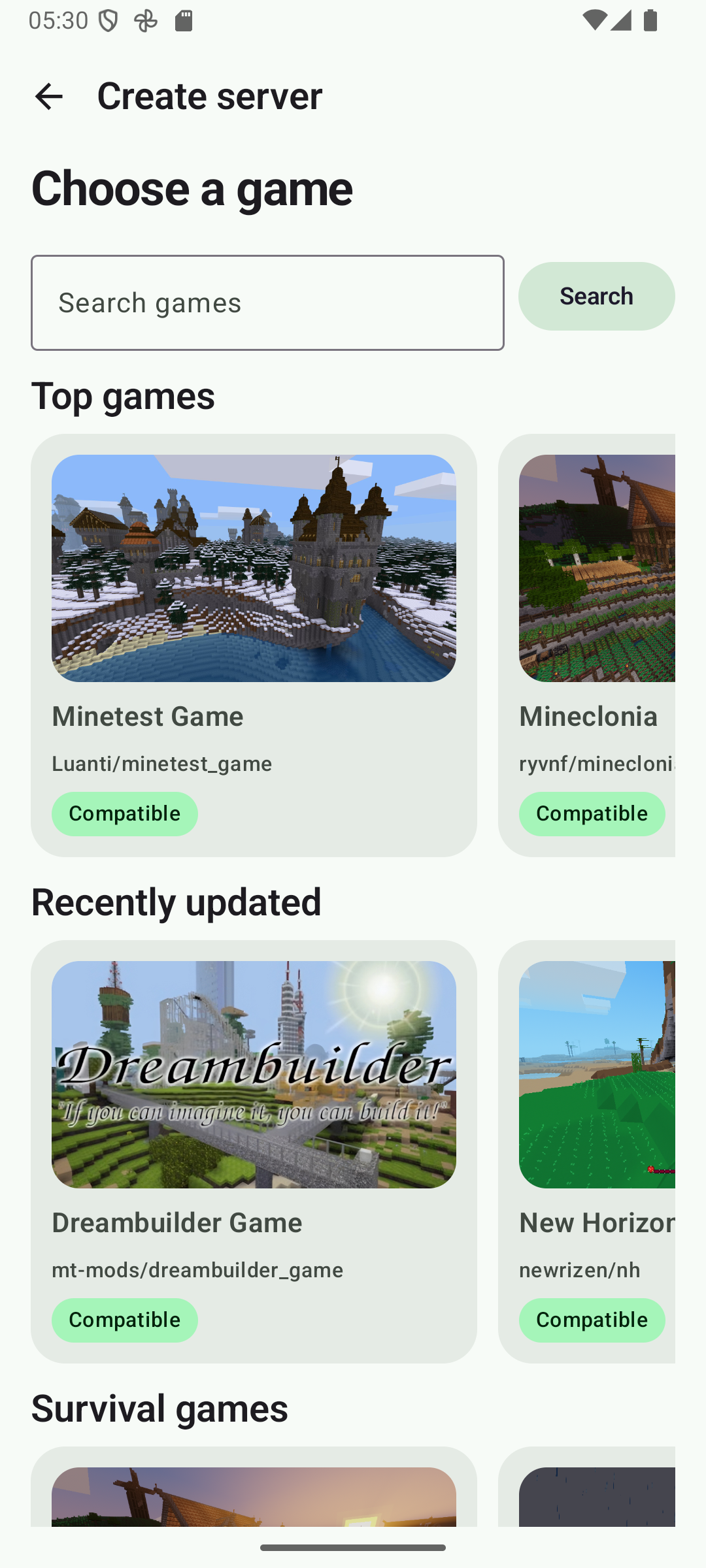
Browse ContentDB inside the creation flow and select the game before the profile is created.
Use ContentDB or the separate ZIP importer, then toggle packages and open mod settings from Installed mods.
LuaNet launches an isolated native Luanti process and keeps Android informed with a foreground service.
Join from the phone or another device on the same network using the local address shown by LuaNet.
Sign in, enable External link and share the unique LuaNet hostname and port shown for that server.
Each profile has its own world, game, mods, settings, backups and selected engine. Profiles are isolated so changing one server does not rewrite another one.
All 17 supported engines are installed on demand and then reused by every profile that selects that version. Builds support ARM64, ARM32 and x86_64 Android devices.
The creation flow shows games, while each server's ContentDB shows mods with screenshots, package badges and details. Required dependencies are handled automatically.
Server state comes from the running process, Luanti logs and local data. If a process dies, LuaNet shows the crash state and a support code instead of pretending the server is still starting.
The app reads online players, known offline players and privileges from local Luanti data. Player actions are checked after execution so the UI rolls back if the action failed.
Backups include the world and server configuration, including the engine version used at the time. They can be restored or deleted from the Backups menu.
Local by default
World files, chat, player names, console logs, installed games, mods and backups stay local unless you export them or explicitly upload a backup to NovaX Cloud Backup. If you enable Sync, limited profile settings and runtime state are stored for cross-device controls.
Read the privacy policyUse External link. It creates a NovaX tunnel without uploading the world.
Read External link guide